
What do the colours and lights mean on my Wireless Modem?
Find your modem model below to quickly check what its status lights mean.
1. Wireless (4G / 5G) Modems
TP-Link Deco X58
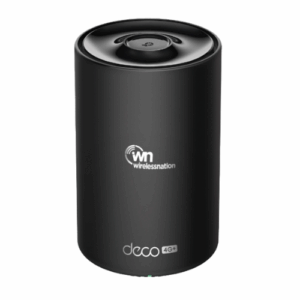
- 🟢 Solid Green: Connected to the internet. Everything is working.
- 🔴 Solid Red: No internet connection. Try restarting the modem.
- 🟡 Solid Yellow: The modem is currently booting up.
- 🔵 Flashing Blue: Ready for initial setup.
- 🟢 Flashing Green: The modem is automatically updating its software.
Huawei 5G-H153
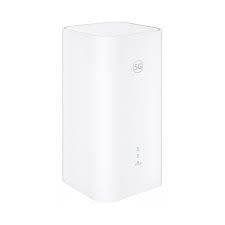
- 🌐 Solid Sky Blue: Connected with a strong internet signal.
- 🟡 Solid Yellow: Connected with a medium/moderate signal.
- 🔴 Solid Red: No network available or signal is too weak.
Huawei B315, B525, B618, or B818
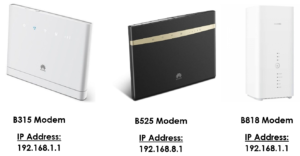
- 🔵 Solid Light Blue: Successfully connected to the 4G network.
- 🔴 Solid Red: Not connected to the network. Check your SIM card.
2. Home Fibre Modems
Grandstream GWN7062
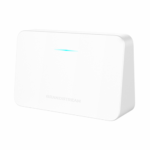
- 🔵 Solid Blue: Connected to the internet and working perfectly.
- 🟡 Flashing Yellow: No internet connection detected. Check the cable to your wall box.
- 🟢 Solid Green: The router is starting up.
- 🟢 Flashing Green: Automatically updating its software.
- 🔴 Flashing Red: Currently performing a factory reset.
Grandstream GWN7052
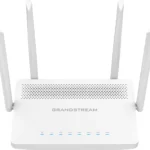
This model has individual indicator lights across the front panel:
- Power Light: Should be 🔵 Solid Blue or 🟢 Solid Green for normal operation. If it is 🔴 Flashing Red, the router is resetting.
- Wi-Fi Light: Should be 🔵 Blue (Solid or Flashing). If it is ⚫ Off, your wireless network has been deactivated.
- WAN Light: Should be 🔵 Blue (Solid or Flashing). If it is ⚫ Off, the router cannot detect your fibre connection line. Check that the ethernet cable is securely plugged into the internet wall box.
Need Help?
If any of your modems are displaying a 🔴 Solid Red or 🟡 Flashing Yellow light after a quick power reset, please contact our friendly technical support team on 09 280 3672 so we can check the connection.